

Interactive viewer
view_model opens an interactive window on a LaMEM simulation, as an alternative to loading the output into Paraview. It is part of the Makie extension, so it appears once you load a Makie backend:
julia> using LaMEM, GLMakie
julia> view_model(model)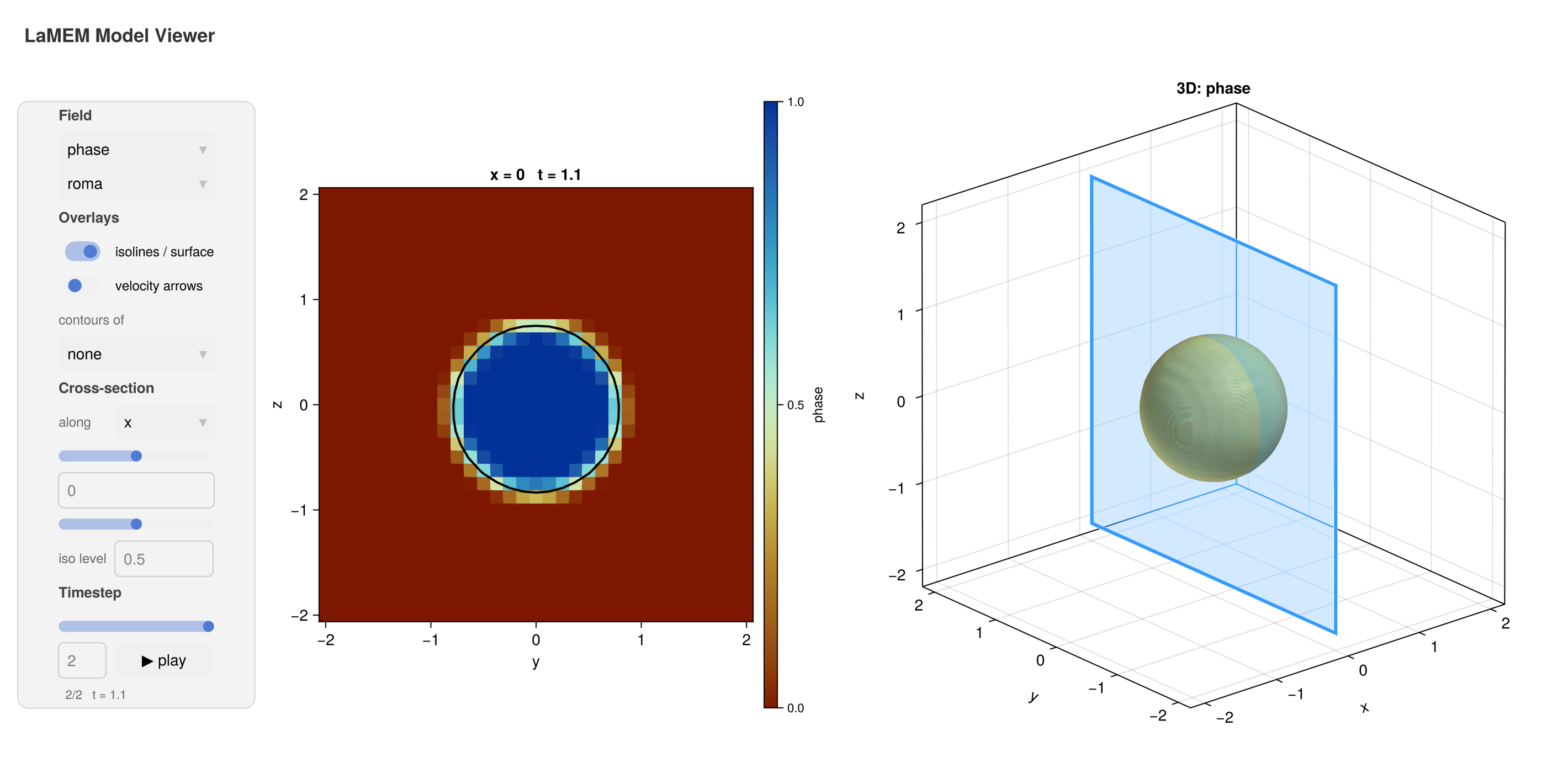
Use GLMakie for this: the 3D view needs a real 3D rasterizer, which CairoMakie does not have. Under CairoMakie the cross-section still works and the 3D panel stays empty – the viewer says so when it opens – which is enough to write a movie on a machine without a display (see below). Pass threed=false to leave the 3D panel out deliberately.
2D and 3D models
A 2D LaMEM setup (one with two elements in its thin direction, as Grid(nel=(nx,nz)) gives) has nothing to show in three dimensions, so the viewer leaves the 3D panel out and gives the cross-section the whole window:
julia> model = Model(Grid(nel=(64,32), x=[-1000,1000], z=[-660,20]), ...)
julia> view_model(model, field=:phase, contours=:temperature, arrows=true)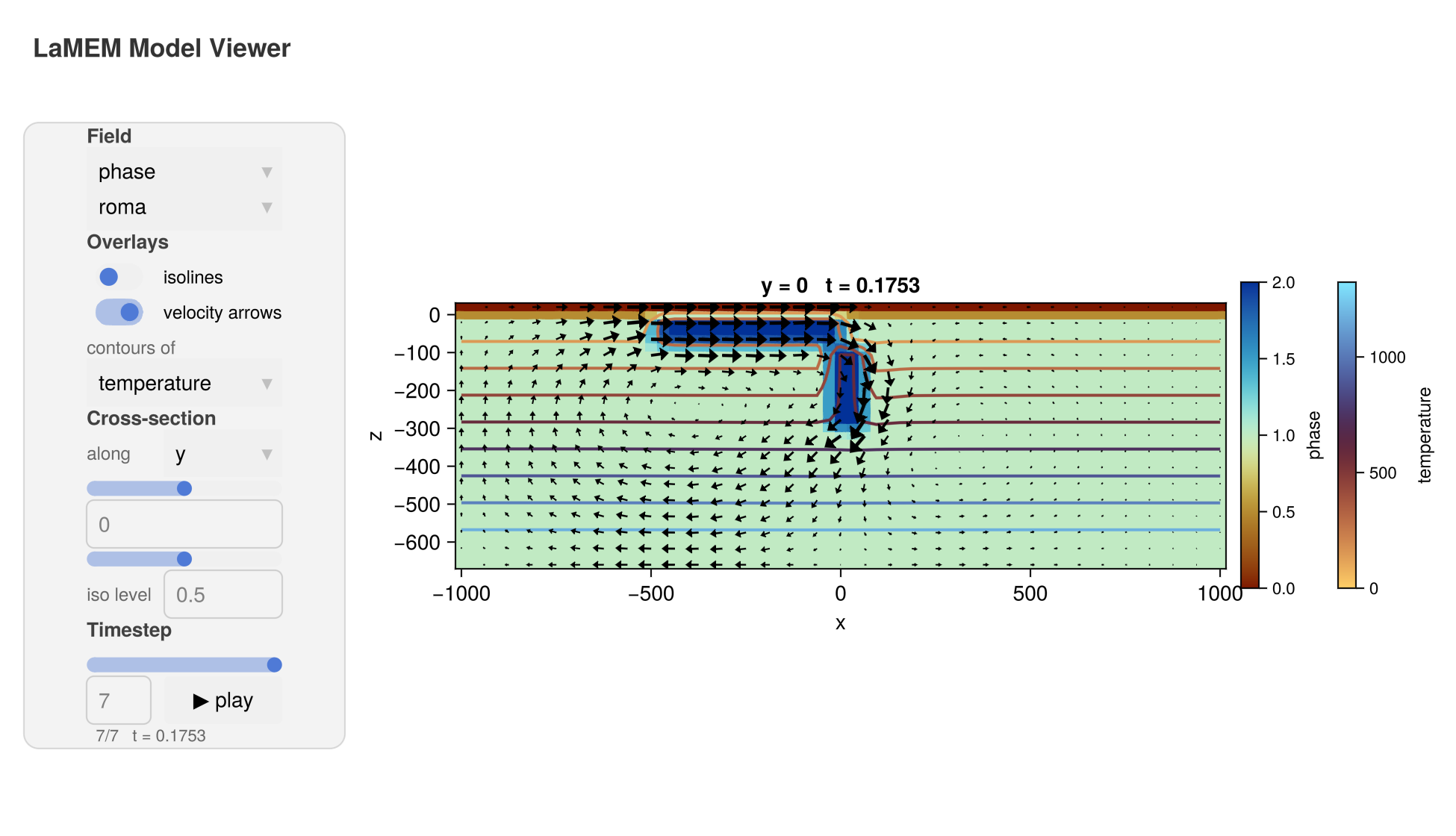
A 2D subduction model: the phases as a heatmap, the temperature as coloured contours over them with their own colorbar, and the flow field as arrows.
What the window shows
The plots take the right of the window – the cross-section, and for a 3D model a 3D view of the same field beside it – while the controls sit in a panel down the left, grouped into Field, Overlays, Cross-section and Timestep:
the field to display. Every field in the output is listed, and a vector field is expanded per component, so the velocity appears as
velocity[1],velocity[2]andvelocity[3].the timestep, as a slider. The
▶ playbutton animates the simulation.the slice position, which moves the cross-section through the model. In the 3D view a blue outline marks where that section is taken, so the two panels can be read together. The menu beside it chooses the axis to cut along, so a 2D model can be sectioned the other way as well. By default the section cuts the thinnest direction, which for a quasi-2D LaMEM setup is the plane worth looking at.
isolines/surface, which draws a contour of the displayed field on the cross-section and an isosurface in the 3D view, at the level set by the
iso levelslider. This is on by default, since volume rendering shows little of a phase field.velocity arrows on the cross-section, scaled to the largest velocity in the section. They are subsampled to about 28 arrows across the longer side, evenly spaced in distance rather than in grid points, so a high-resolution model does not end up with a black mass of them;
narrowssets how many.contours of a second field, drawn over the heatmap — the temperature over the phases, say. The contours are coloured by their own value and get a second colorbar of their own, which appears only while a field is selected.
noneswitches them off.the colormap.
Every slider has a text box beside it, so an exact value can be typed in rather than dragged to: a cross-section at exactly z = -100, or a particular timestep.
The viewer also opens on a model that has not been run, in which case it shows the initial setup — useful to check a setup before starting a simulation:
julia> model = Model(Grid(nel=(64,2,32), x=[-1000,1000], y=[-10,10], z=[-660,20]))
julia> add_box!(model; xlim=(-500,0), zlim=(-80,0), phase=ConstantPhase(2))
julia> view_model(model)          # no need to run LaMEM first
Choosing what to show
The keyword arguments set what the window starts with; everything remains adjustable in the window itself.
julia> view_model(model, field=:velocity, dim=1, colormap=:vik, isosurface=false)field,dim: the field and, for a vector field, the componentx,y,z: where to cut the cross-sectioncolormap: any Makie colormapthreed:falseleaves the 3D panel out, even for a 3D modelnarrows: roughly how many velocity arrows across the longer side (default 28)isosurface,arrows: whether those start switched on (the isosurface defaults to on for a 3D model, and is just the isolines for a 2D one)contours: a second field to contour over the heatmap, e.g.contours=:temperaturecontour_colormap: the colormap for those contourssize: the size of the window
Saving a movie
save_movie writes an animation of the simulation to disk, stepping through its timesteps. The format follows the extension:
julia> save_movie("subduction.mp4", model, field=:phase)
julia> save_movie("subduction.gif", model, field=:temperature, colormap=:vik)
It takes the same keyword arguments as view_model, plus framerate. Since this needs no interaction, it also works headlessly with CairoMakie — on an HPC node, for instance — as long as you do not need the 3D panel:
julia> using LaMEM, CairoMakie
julia> save_movie("subduction.mp4", model, field=:phase)