Horizontal slices
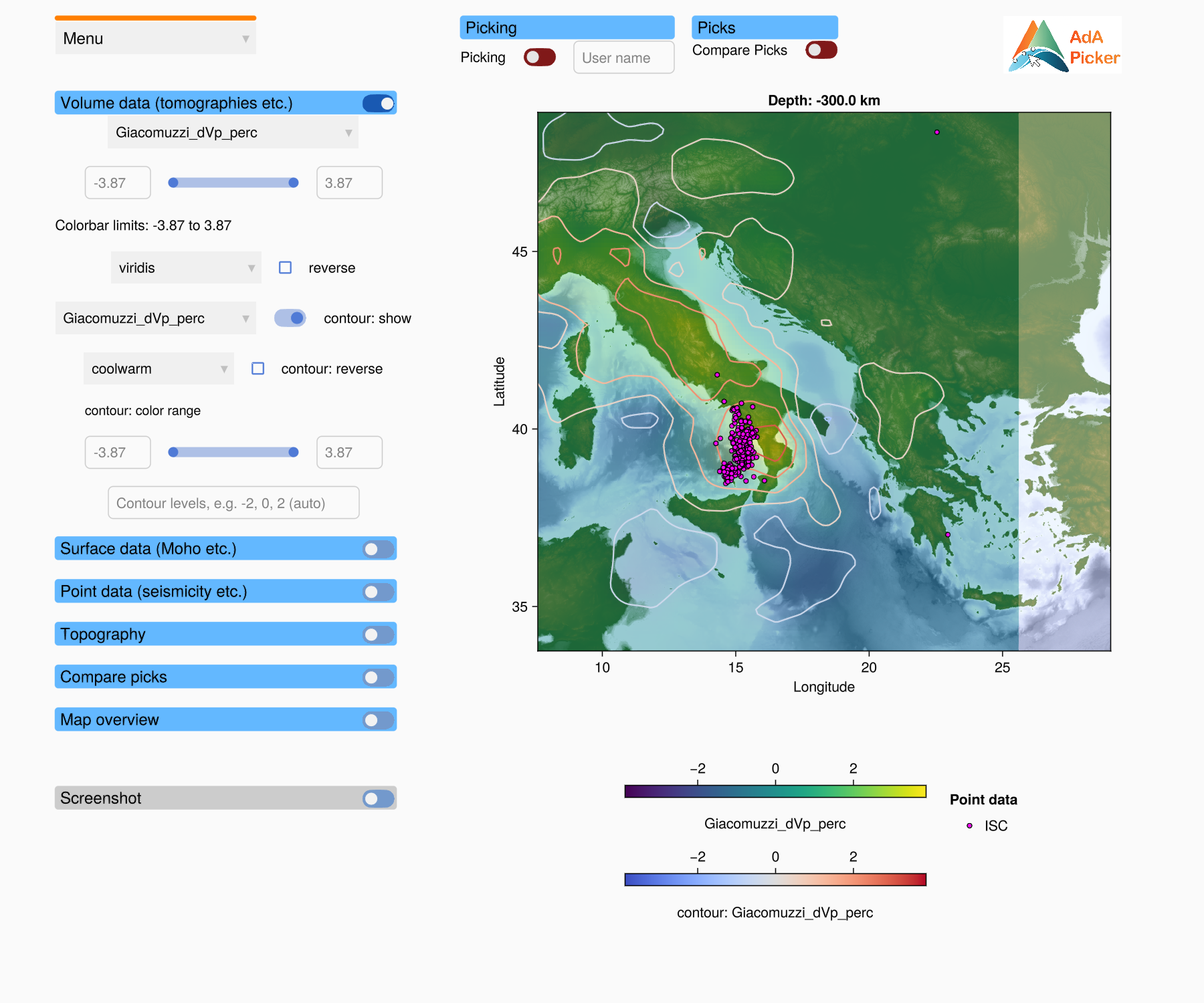
A profile file can also hold a horizontal slice: a map of the data at a fixed depth. The picker recognises the type of profile when it loads the file and adapts the window.
What changes
| Vertical profile | Horizontal slice | |
|---|---|---|
| profile axis | distance along the profile (km) × depth (km) | longitude × latitude, with the depth of the slice as title |
| aspect ratio | free | a degree of longitude is drawn cos(latitude) times as long as a degree of latitude, so the map is not distorted |
| topography axis | above the profile | hidden |
| topography | line in the topography axis | heatmap or contour lines on top of the volume data |
| volume data fields | fields of the volume data | in addition, the depth of each surface data set (<name>: depth) |
| surface data | lines along the profile | contour line where the surface crosses the depth of the slice |
| point data | projected onto the profile | at their longitude and latitude |
| map overview | line from A to B | box around the slice, labelled with its depth |
| picks | x and depth | longitude and latitude |
Topography on a horizontal slice
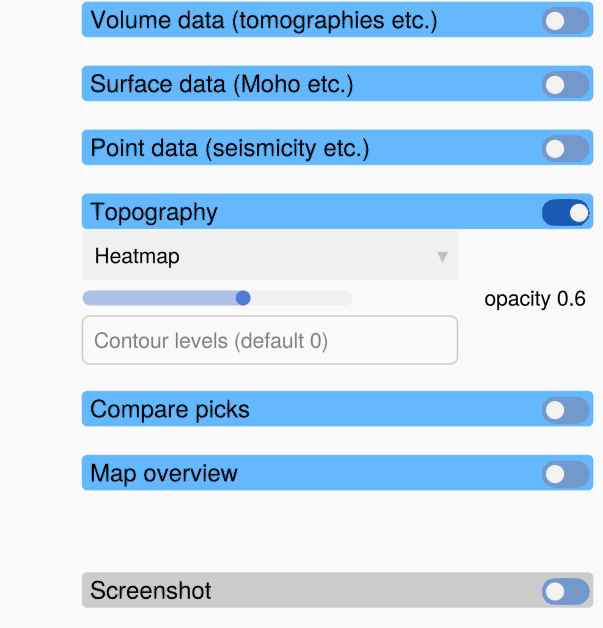
The topography panel of a horizontal slice has:
| Control | What it does |
|---|---|
| data set dropdown | Only if the profile has several topography data sets: which one to show. |
| mode dropdown | Heatmap: the topography as a semi-transparent heatmap (colormap oleron, centred on sea level). Contours: contour lines of the topography. Off: no topography. |
| opacity slider | The opacity of the topography heatmap. Lower it to see more of the volume data below. |
| Contour levels | The elevations of the contour lines, for example 0 for the coastline (the default) or -2, 0, 2. Press Enter. |
Picking on a horizontal slice
Picking works as on a vertical profile (see Picking), but the picks are positions on the map. In a saved pick file:
lonandlathold the picked position,depthholds the depth of the slice for every pick,xisNaN(there is no distance along a profile),the metadata hold the
depthof the slice instead of start and end coordinates.
Load Picks only accepts picks that were made on a horizontal slice at the same depth.